
Most marketing tools demand you come to them. You paste in your context, wait for output, copy it back into whatever you were doing, and repeat the whole sequence six more times before lunch.
Tenet never worked that way, and today, it’s even better. You can find your AI marketing agent, where you already work.
Tenet is now accessible directly inside Claude via MCP. That means you can run your full marketing function from the same place you're already working. For founders and business owners running marketing themselves, and for solo marketers covering the work of ten people without a team, this changes the fundamentals of how marketing work gets done.
Our thesis is simple: the best AI marketing agent is the one that lives where you already work — and now Tenet does.
What Claude MCP is
MCP stands for Model Context Protocol. Here's what that means in plain language.
Claude is a reasoning engine. It's good at thinking through problems, generating text, and making decisions — but on its own, it only knows what's in the conversation. MCP is the integration layer that changes that. It's a standardized protocol that lets Claude connect to external tools and live data, directly inside the chat, without custom plumbing for every new tool.
Think of it the way you'd think of a universal adapter. Instead of Claude needing a bespoke connection to every app, MCP gives Claude one standard way to discover tools, call them, and bring results back into the conversation.
Claude + MCP + Tenet
Here's how the three pieces fit together in practice:
Here's what actually happens when you ask Claude something marketing-related now that Tenet is connected.
the best AI marketing agent is the one that lives where you already work.
- Claude is your personal assistant: it understands the way you work and think, across any context, professional or personal, then plans how to approach them and decides when to call which tools.
- MCP is the protocol: the standardized layer through which Claude discovers Tenet's capabilities and calls them during the conversation
- Tenet is your head of marketing: the AI marketing agent that brings domain expertise, all your data, your brand, and end-to-end marketing capability to the conversation.
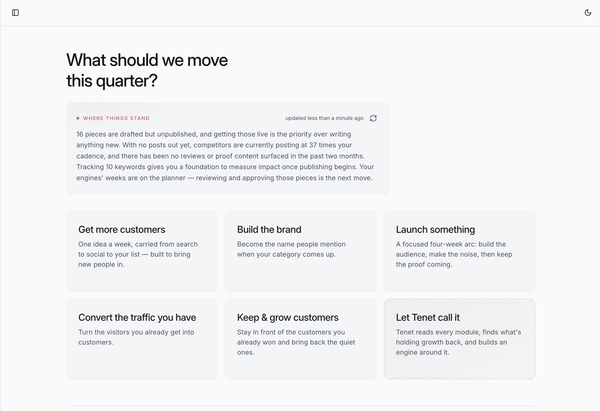
When you ask Claude to "build a content strategy for the next quarter," Claude doesn't just write a generic plan from its training data. It calls Tenet via MCP. Tenet brings its marketing expertise, its understanding of your brand, your positioning, your audience, and your performance data.
The result comes back into the conversation. You refine it. The work moves forward.
What this means if you use Tenet
Until now, using Tenet meant going to Tenet. That's great when marketing is your only task. We also understand that it's friction when you're a founder who also has three sales calls, a board update, and a product decision before 5pm.
With Tenet connected via MCP, you stay in Claude. When the conversation turns to marketing — and it will — you ask Tenet to handle it. Right there.
Concrete workflows you can run without leaving Claude
The shift becomes real when you see it in practice. Here are the kinds of tasks you can run directly inside Claude with Tenet connected via MCP:
- "Tenet, map a 90-day content and demand gen plan for our new pricing model targeting tier 1 ICP.”
- "We're launching a new feature in six weeks. Build me a go-to-market narrative” and Tenet defines what you’re solving, who it's for, the core message, and the launch sequence.
- "Review our last quarter of blog content and identify the topic gaps against our top three competitors. Rank by conversion opportunity."
- "Check out the performance of our last email campaign. What's wrong and what should we test next?"
- "Write a competitive battlecard against [competitor].”
These aren't one-shot prompts. They're multi-step workflows. Claude handles the front-end, and Tenet brings the marketing expertise and execution via MCP, and the output comes back into the same conversation you're already in. You can refine, extend, redirect. All without leaving your interface.
How to get started
The setup is straightforward.
What you need before you start:
- A Claude account on a plan that supports MCP integrations
- A Tenet account with access to your marketing agent workspace
- Optionally: connections to your key data sources (analytics, CRM, CMS) so Tenet can work with real performance data, not just briefs
You can find your API key in your settings or simply reach out to us for the MCP URL.
And if you're not on Tenet yet, reach out to learn more. You get a full marketing function inside the AI assistant you're already using every day.