
The best marketers we know didn't get into marketing to spend their days switching tabs and chasing workflows. They got into it for the thinking. The strategy. The ideas that actually move people and businesses.
That's what we want to give you more of. This month we shipped a set of updates that we think meaningfully change that equation.
Here's what's new:
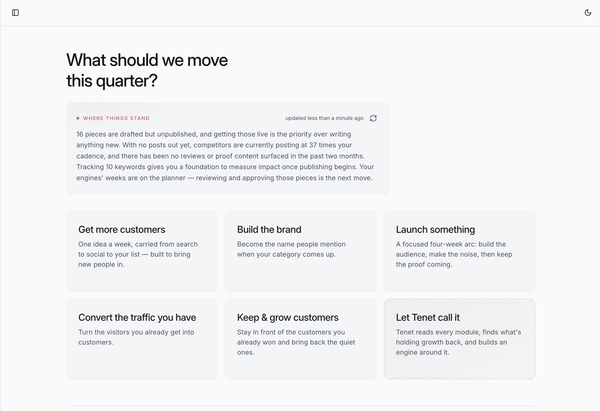
Org workspaces with one place for everything
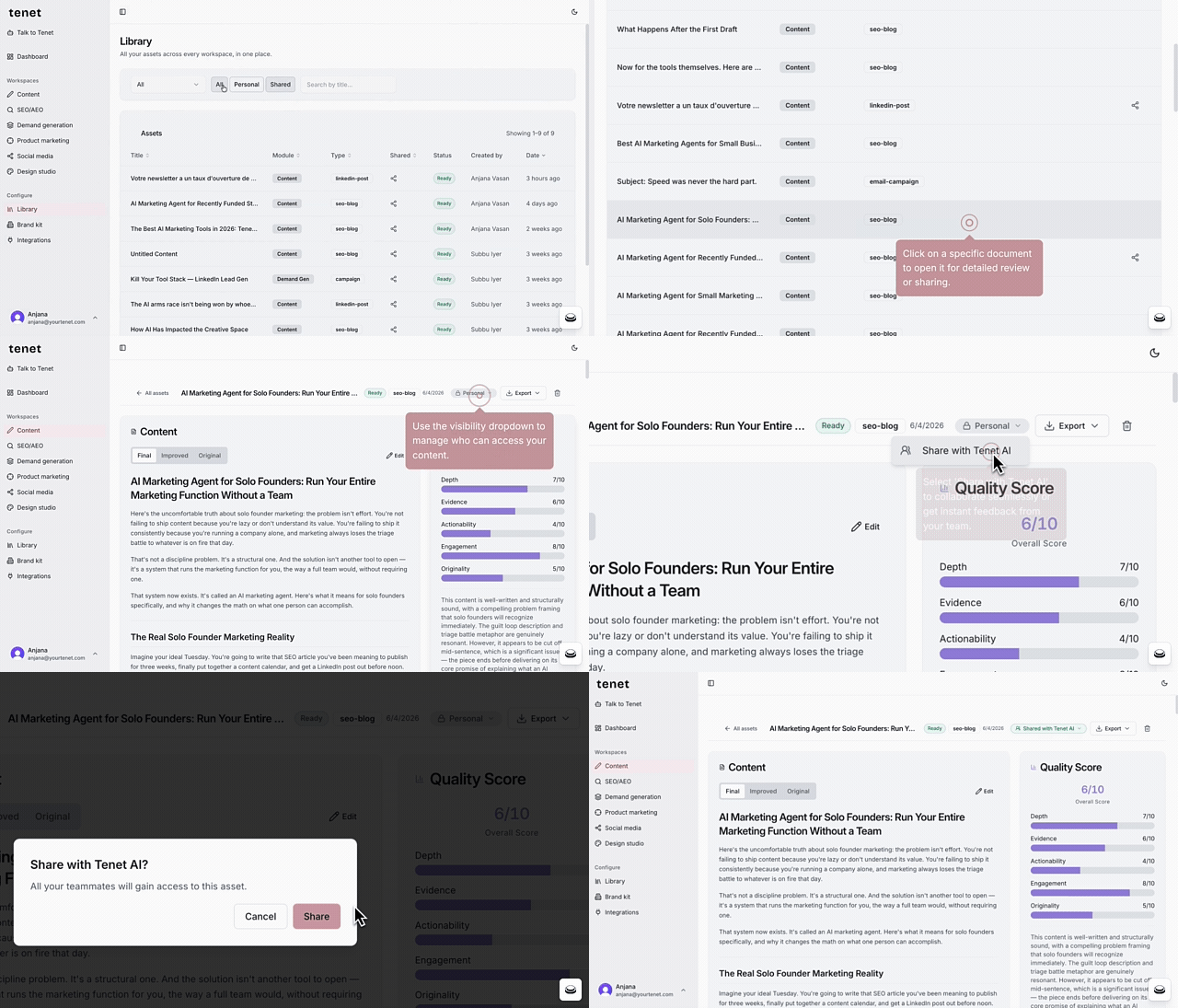
Tenet started as a tool for one, and that was deliberate. The hardest thing to get right is the work itself (the research, the positioning, the execution) so we built that for a single marketer first and got it right before anything else. Multi-user was always the next step on the roadmap, the thing we'd add the moment the foundation was solid. This release is that step.
Because once a second marketer joins, the questions change.
- Where does the campaign someone wrote last week live?
- How does brand context move between people without a Slack message and a copy-paste?
Those are the right problems to have — they mean you're growing — and now Tenet is built to handle them.
Ownership is visible across every asset — you can see who's responsible for what, what's still in progress, and what's been signed off. Everyone works from the same version. Comments, edits, and approvals all happen in one place, not scattered across four different tools.
You sign up as an organization, invite your team, and work in a shared space where ownership and visibility are explicit. Every asset is stamped to your org, and a per-item share toggle lets you decide exactly what the team can see and what stays personal.
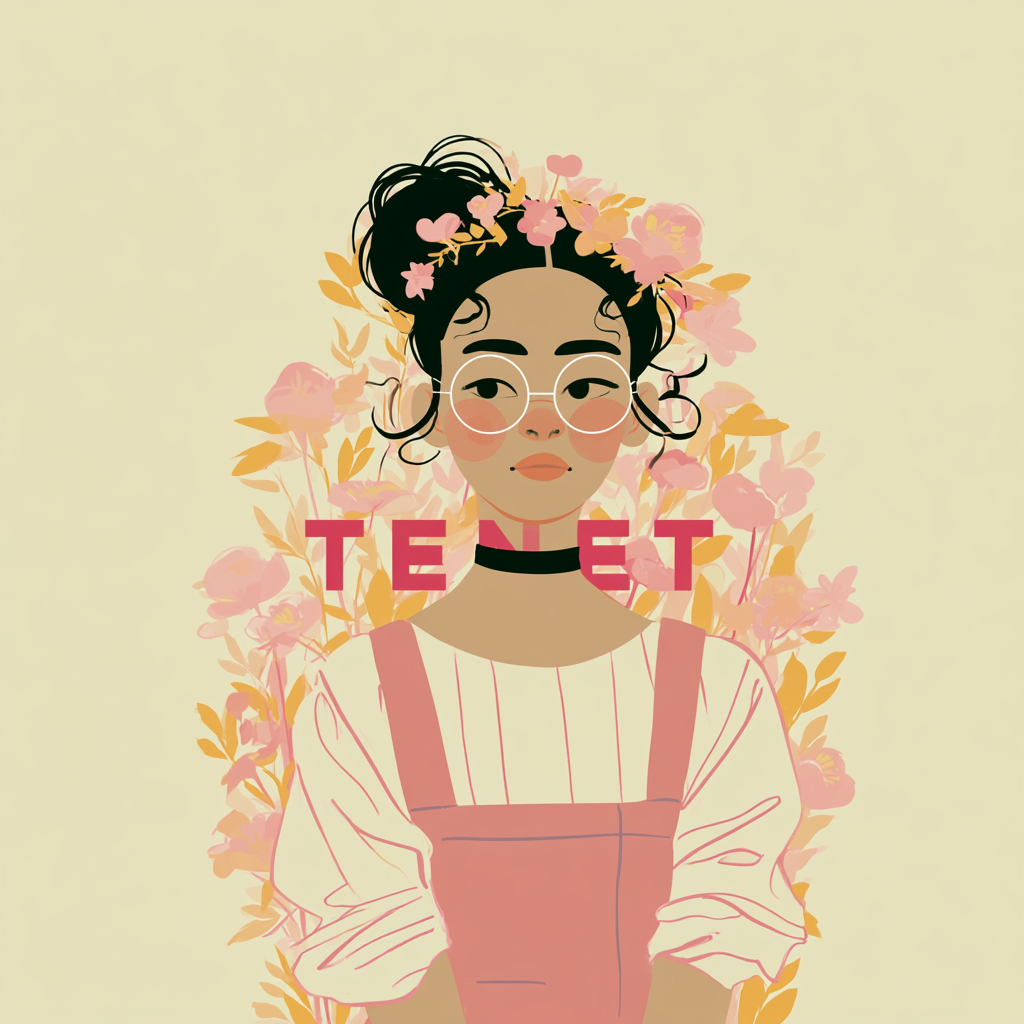
Native AI image generation closes the copy-visual gap
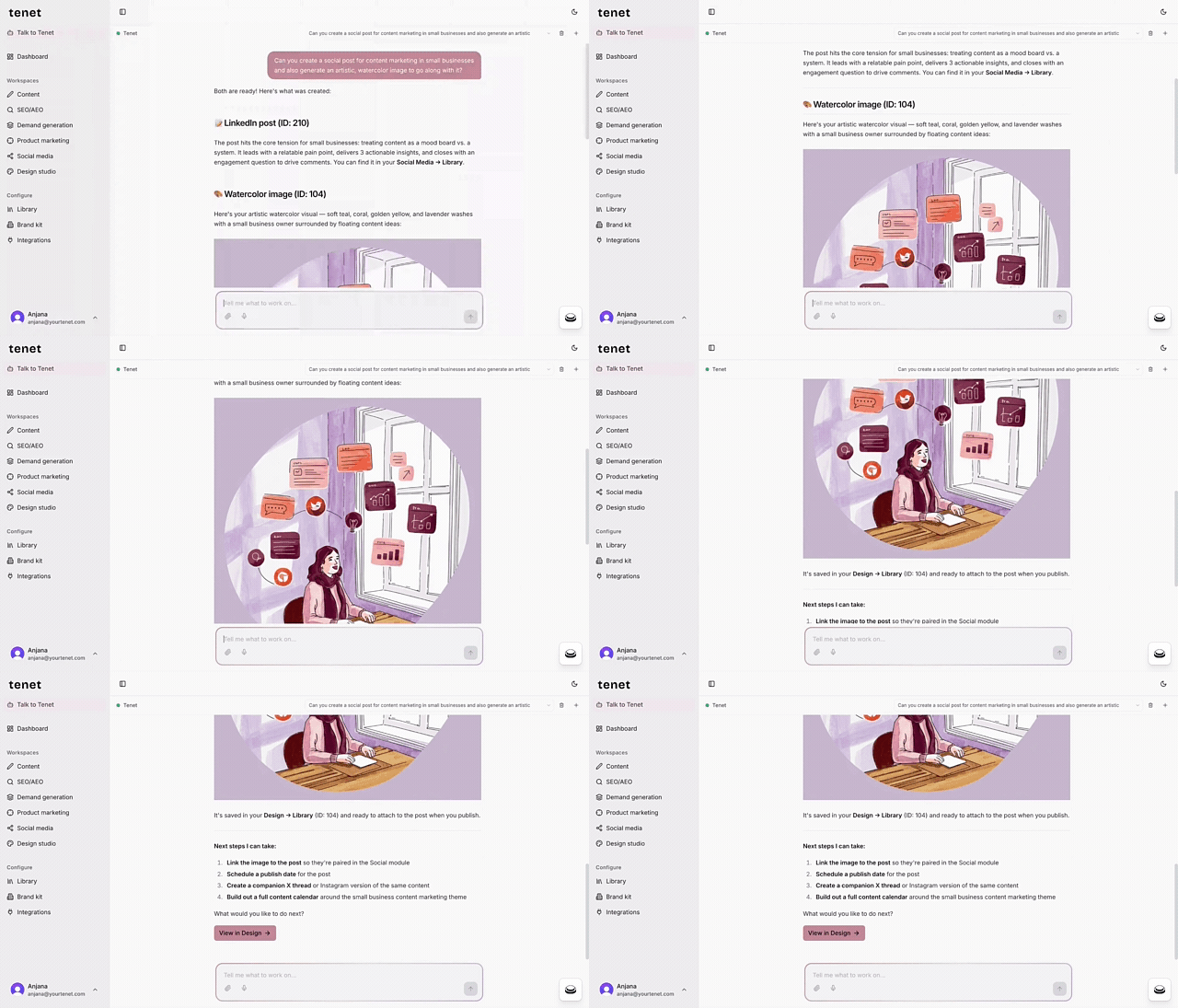
Here's a workflow issue that doesn't get enough attention: copy and visuals are usually built in separate environments, and they drift apart because of it.
You finish the headline, then jump to a design tool, an image generator, or brief a designer. You work in that space for a while. When you return to the copy, the visual direction you took no longer quite matches the message. Or the copy gets tweaked after the visuals are locked, and now the two are telling slightly different stories. Or you're burning ten minutes translating copy into prompts an AI image tool can actually use. This is the tab-switching problem. It seems minor. It adds up fast.
When writing and visual creation live in separate tools, the feedback loop between them is slow and something gets lost in every round trip. A small shift here, a revised line there, and suddenly the campaign feels pieced together rather than purposefully built.
When the copy changes, you update the image in the same session. Both elements develop together, with the same context in front of you, so the story stays consistent.
For lean teams without a dedicated designer, this is a strong capability gain. You can produce campaign assets, social graphics, email headers, and landing page visuals without routing work through a design queue or picking up a new tool. For teams that do have a designer, it compresses the briefing process: instead of handing over a written brief and waiting, you can pass along a rough visual direction alongside the copy as a concrete starting point.
The core benefit is coherence. A campaign where the headline and visual were developed together reads differently from one where they were assembled after the fact — and audiences feel that difference, even when they can't explain why.
Multilingual marketing
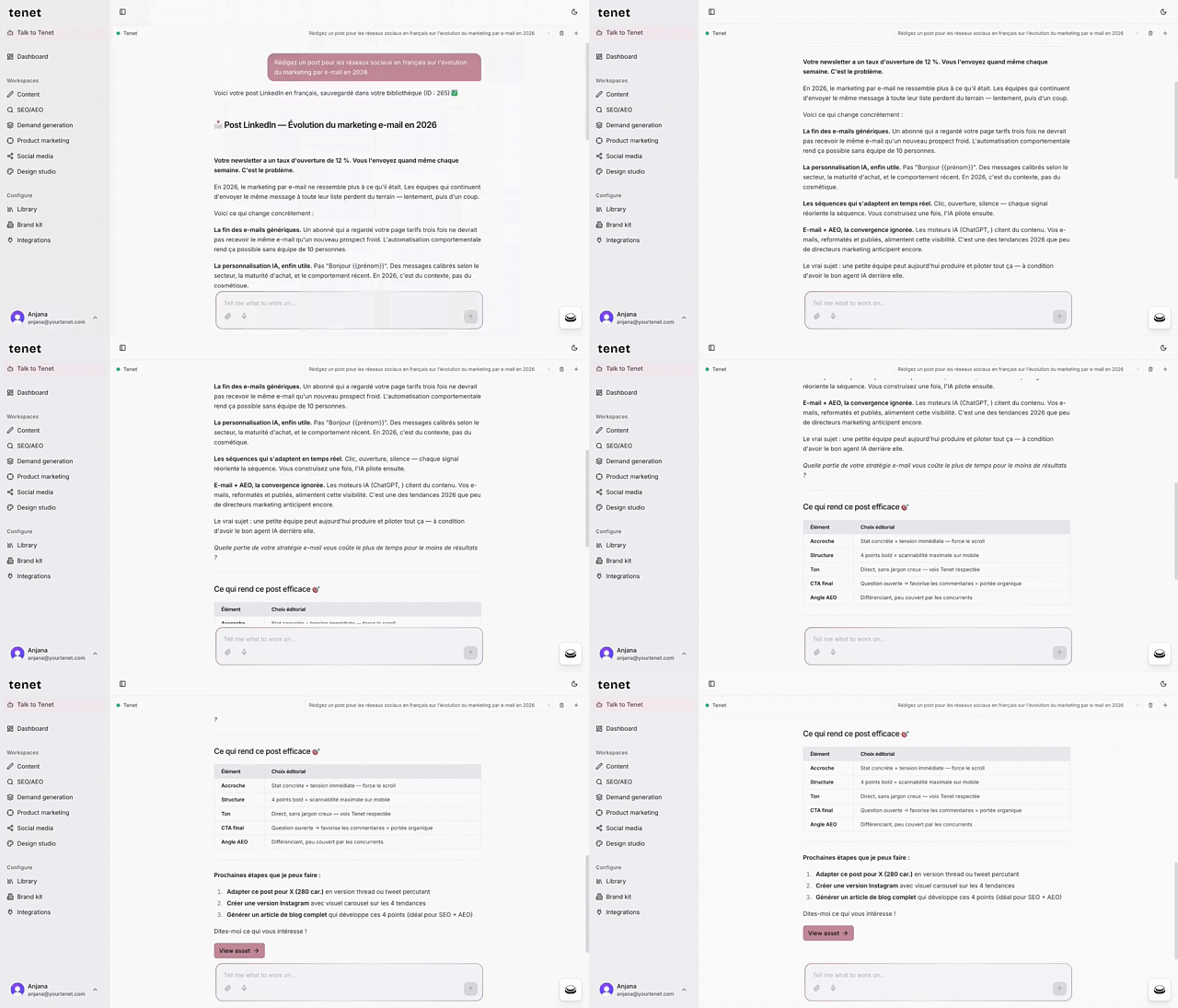
"We'll translate it later" is how regional campaigns lose their edge before they've even started.
Writing in English and translating afterward splits your work into two separate jobs: craft the message, then convert the language.
But translation isn't a neutral handoff. It compresses meaning.
- English idioms fall flat in German.
- The urgency that drives clicks in an American CTA can read as pushy in French.
- References that land with a US audience mean nothing to someone in São Paulo.
A translation can be word-perfect and still completely miss the audience.
Anyone who's run campaigns across regions understands this. They also know the traditional fix — hire native-language copywriters for every market — is expensive and logistically painful for a small team trying to cover four countries at once.
You brief in the target language, draft in the target language, review in the target language. The content is built for that audience from the start.
Think about what that means for a SaaS company launching across Europe and Latin America. In the old workflow, the approved US copy goes to a translator or localization agency — adding days, adding cost, and often coming back needing another round of edits because the tone drifted.
In the new workflow, the Spanish-language campaign gets written natively in Tenet at the same time as the English one: same brief, same brand context, by a team that may not have a single native Spanish speaker on it. It's a fundamental shift in who these tools actually work for, and which markets a lean team can realistically serve.
A French marketing coordinator can now open Tenet, work entirely in French, and publish — without routing everything through headquarters' language first.
Where this is headed
None of these updates are about producing more, faster. It's about creating work that reflects how you actually think: campaigns that hold up under scrutiny, that you're proud to put your name on, and that don't need a two-hour editing pass before they can go out the door.
That's the standard we're building toward, and we're not done yet.
If you're already on Tenet, everything above is live in your workspace right now — or reach out if you'd like to upgrade to an org account. If you're not on Tenet yet, what are you waiting for?
Frequently asked questions (FAQ)
Do I need to do anything to get these features?
No. Everything in this release is already live in your account. Org Workspaces are opt-in — create an organization when you're ready to bring your team in. Until then, your personal workspace works exactly as before.
Is my existing work affected by org workspaces?
No. Existing content stays personal and private to you by default. Nothing is shared with an org unless you explicitly flip the share toggle on an item.
Can I export to formats other than PDF and PowerPoint?
PDF and PowerPoint cover the most common "I need to present this" cases in this release. Tell us what else you need — it helps us prioritize.
I have a team — how many people can I add?
Org Workspaces support inviting your team with admin and member roles. For seat and billing specifics, reach out and we'll walk you through it.